
Fill your pipeline without buying lists.
Find new businesses to sell to, capture the people you meet, and see every lead on one board.
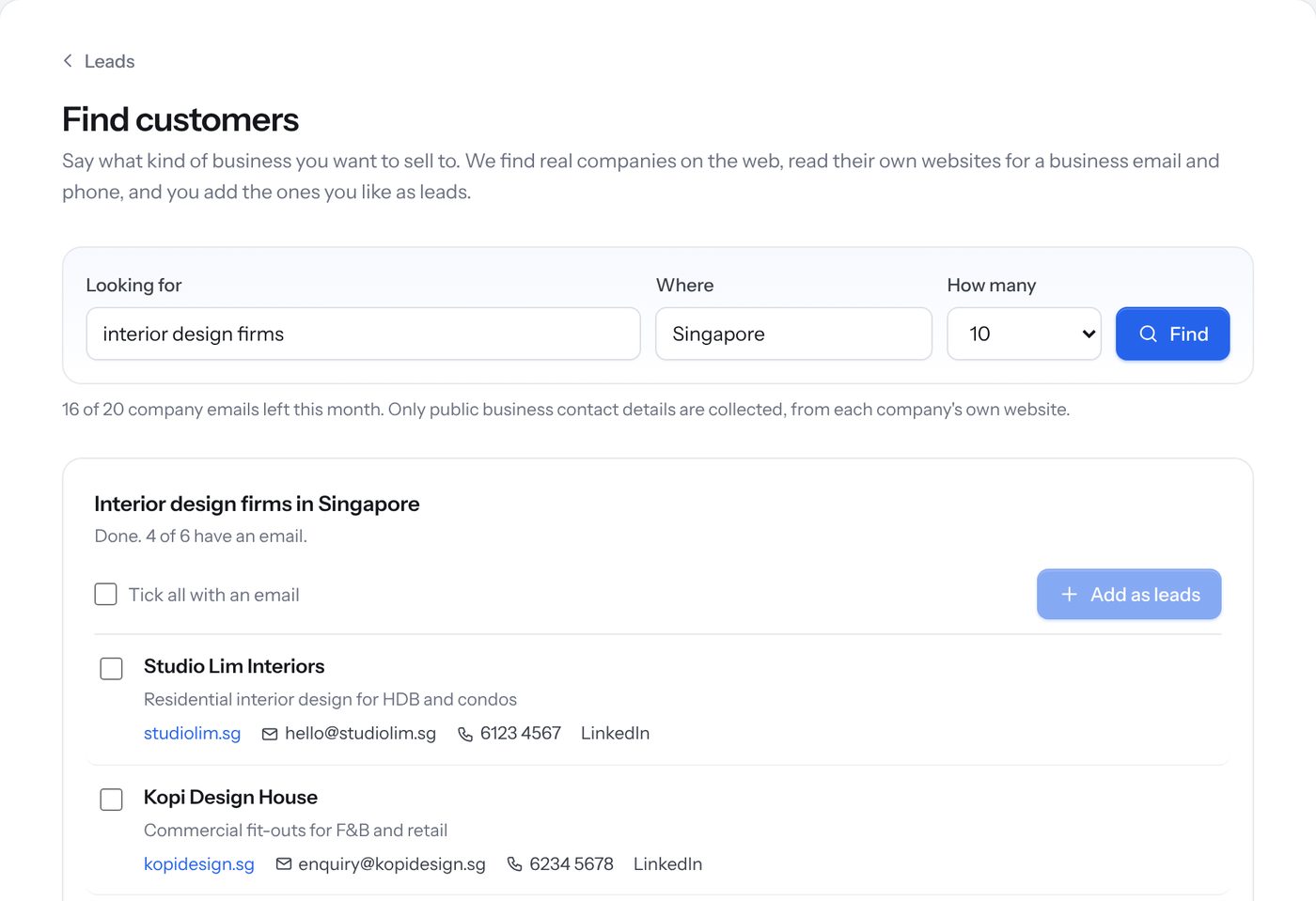
AI Leads Finder
Describe the kind of business you want to sell to. The Leads Finder searches the web, reads each company's own website and brings back real businesses with their email and phone.
- Contact details taken from each company's own website
- Tick the ones you like and they're added as leads
- Follow up straight away with an AI-written email
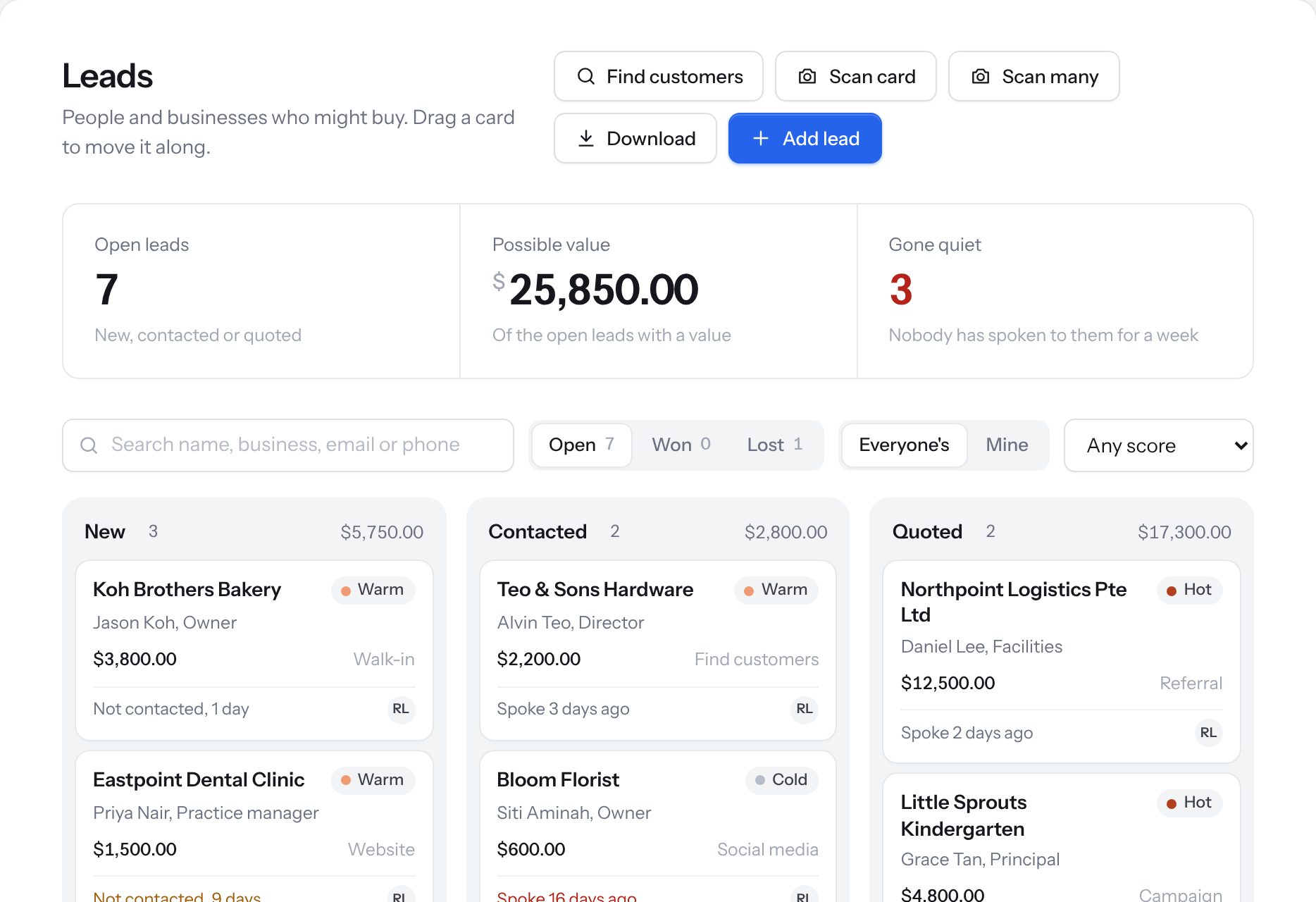
Leads board with scores
Every lead sits on one board, from New to Contacted to Quoted. Each one is marked Hot, Warm or Cold, and the board shows who has gone quiet so nobody slips through.
- Drag a card as the deal moves
- See the value of every open deal
- Filter to your own leads, or by score
Business card scanner
Snap one card, or a whole stack after an event. Name, company, email and phone are filled in for you to check.
Website enquiry form
Put our enquiry form on your own website. Each enquiry arrives as a new lead with a follow-up task.
Bring your old list
Import your existing customers and leads from a spreadsheet, so you start with everything in one place.
Quote fast, follow up properly.
Send a professional quotation in minutes, keep in touch with email campaigns, and never miss a site visit.
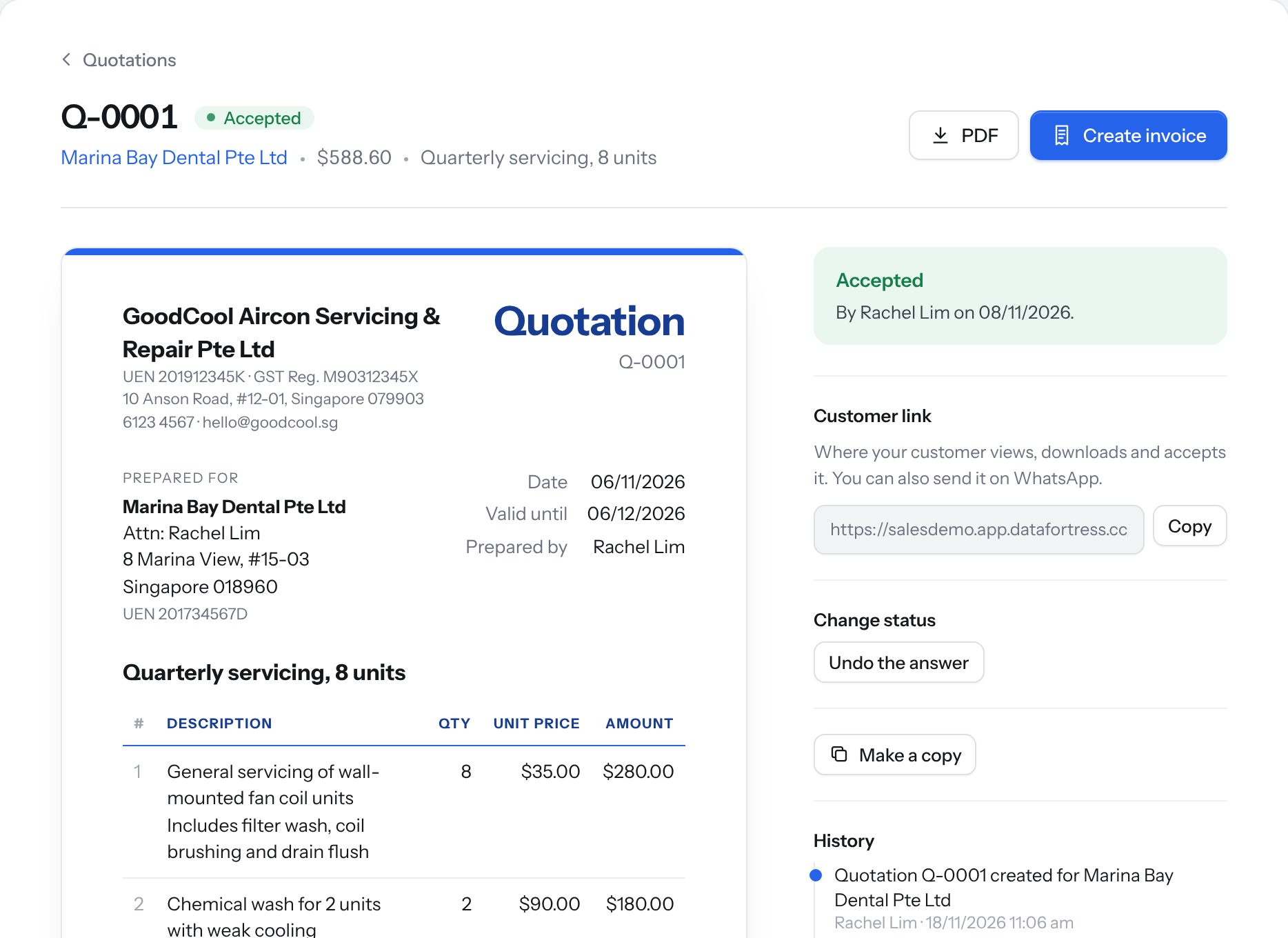
Quotations your customer accepts online
Build a quote from your own price list. Send it by email or WhatsApp; your customer opens it on their phone, downloads the PDF and accepts it. Then turn it into an invoice in one click.
- Your logo and colours on every quote
- See when it was accepted, and by whom
- Copy an old quote instead of starting again
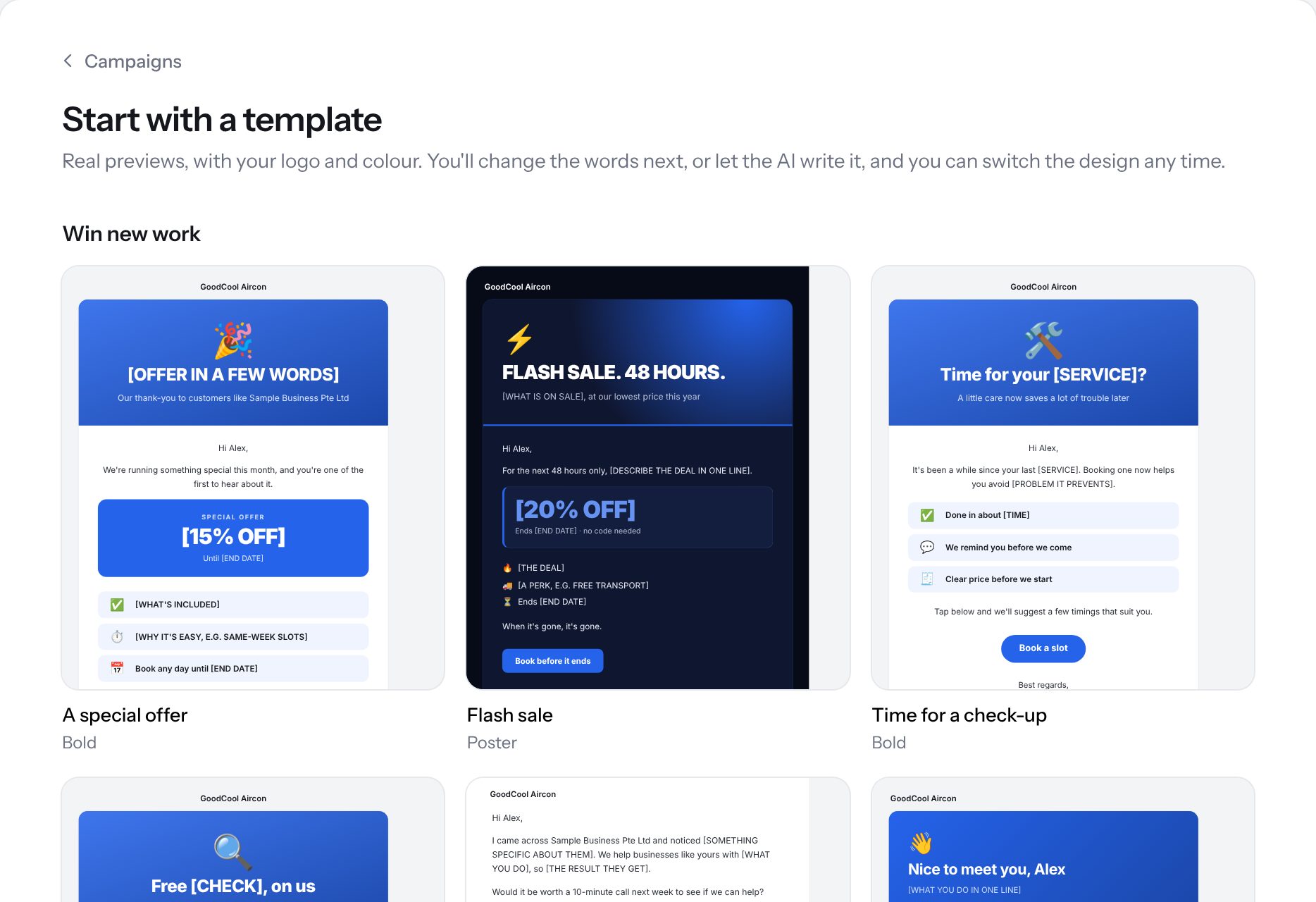
Email campaigns, written by AI
Start from a ready-made design with your logo and colours. Let the AI write the words, or write your own, then send to the customers you choose.
- Designs for offers, sales, check-ups and introductions
- Automatic follow-up emails for people who didn't reply
- Easy unsubscribe for every recipient
See who's interested
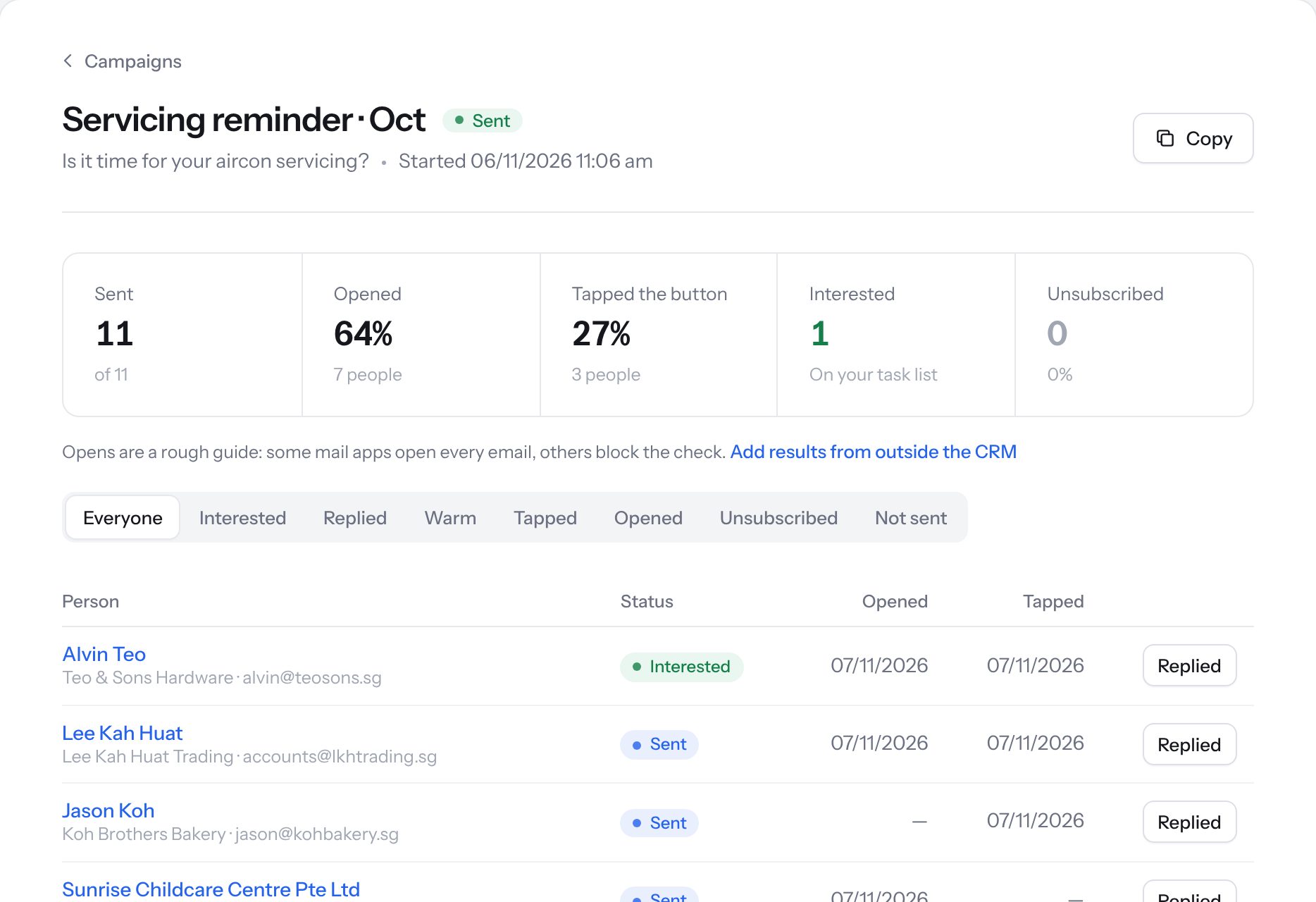
After a campaign goes out, see who opened it, who tapped the button and who said they're interested. Interested people land on your task list to call.
- Sent, opened, tapped and unsubscribed at a glance
- Mark who replied
- Filter to the warm ones
Meetings and site visits
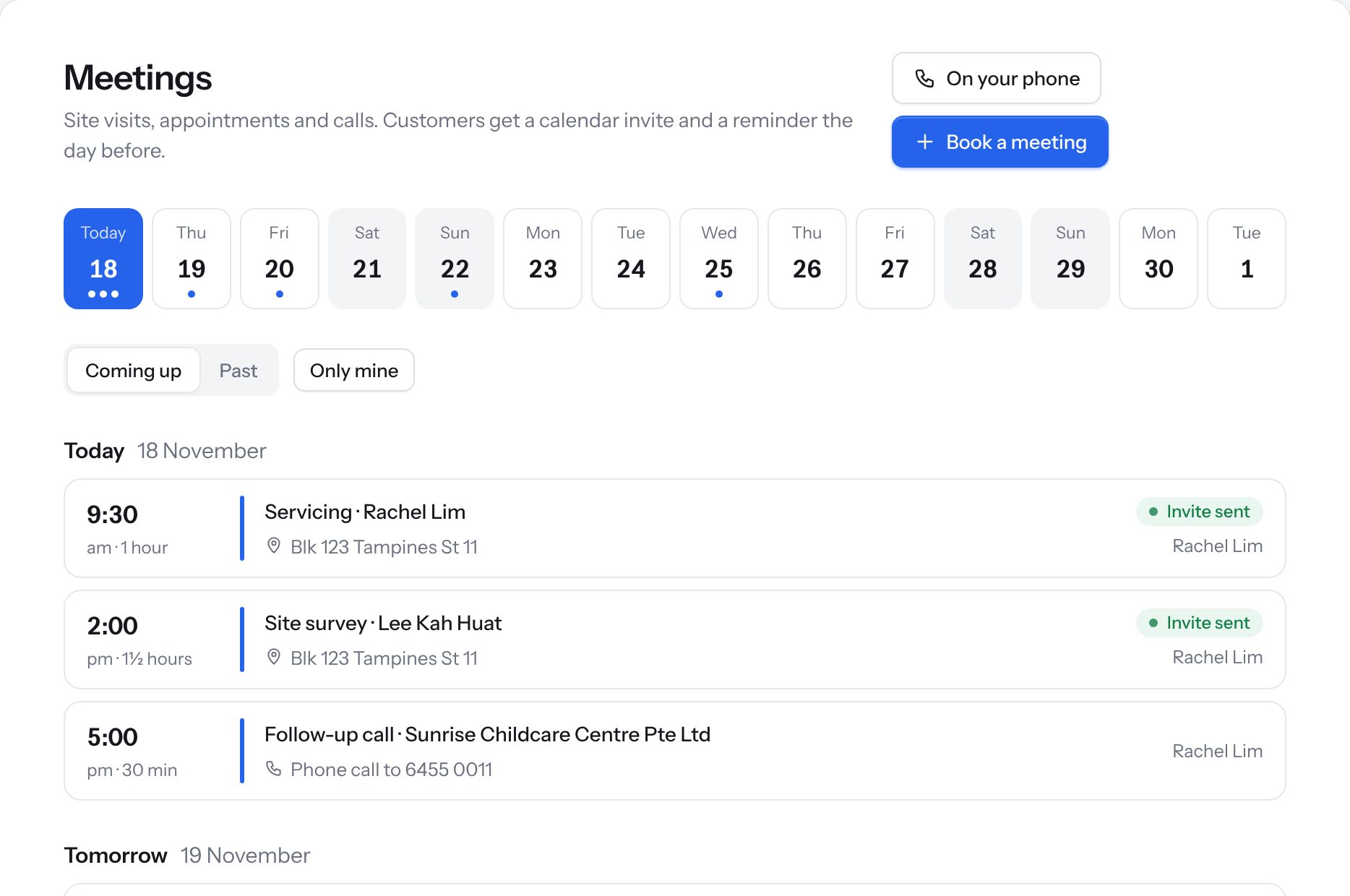
Book site visits, appointments and calls. Your customer gets a calendar invite and a reminder the day before, and your team sees the week at a glance.
- Calendar invites sent for you
- Reminder to the customer the day before
- Add meetings to your phone's calendar
Your price list
Keep your services and packages in one list, so quotes and invoices are quick and consistent.
Tasks and reminders
Follow-ups, call-backs and to-dos for each person on the team, all on one list.
Notes and files
Keep notes, photos and documents with each customer, so anyone can pick up where you left off.
Invoices that get paid sooner.
PayNow on every invoice, reminders that go out for you, and a clear view of who still owes you.
Invoices with PayNow
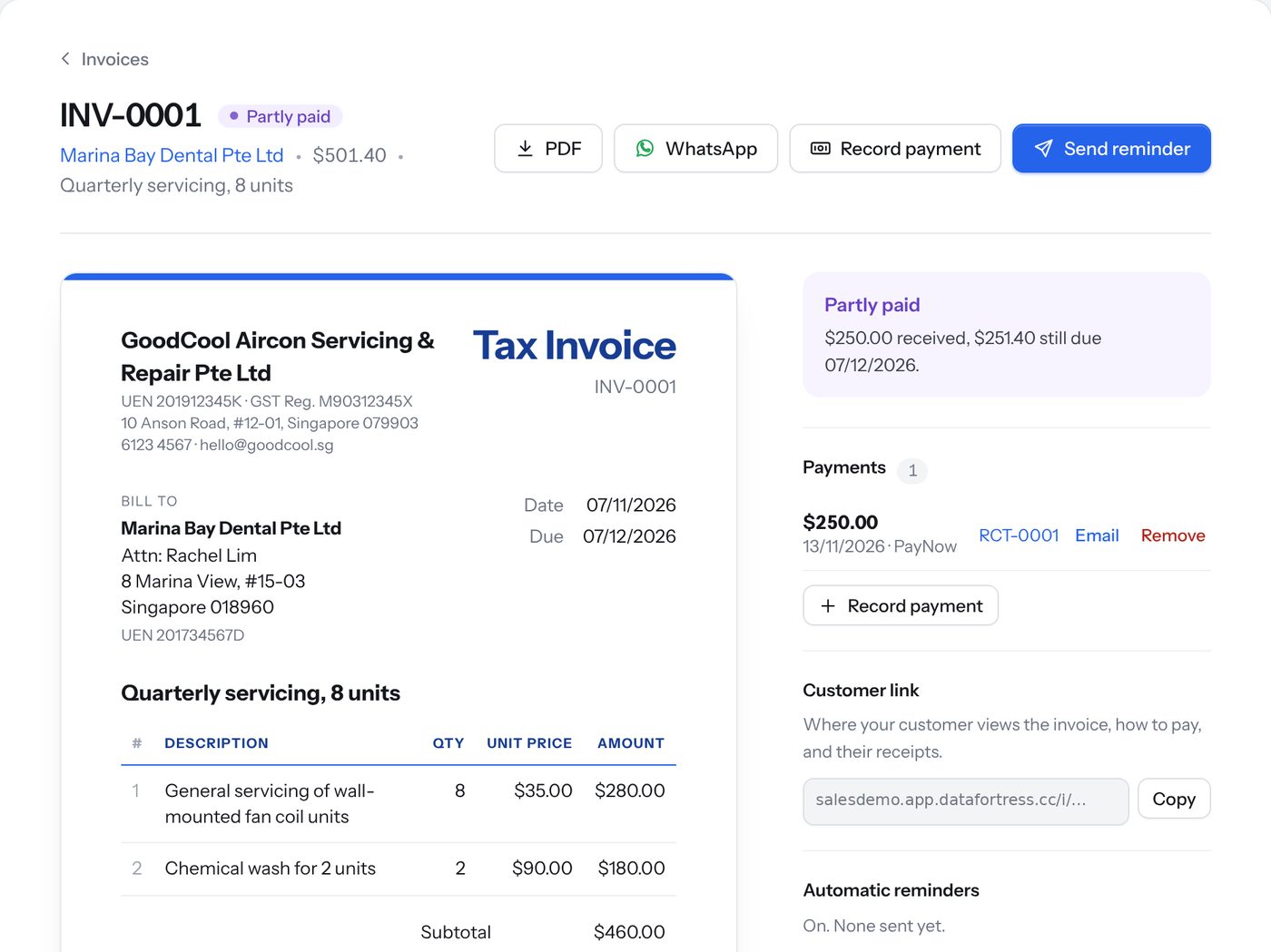
Every invoice carries a PayNow QR code, so customers pay in seconds from their banking app. Send it by email or WhatsApp, and record payments as they come in.
- PayNow QR on every invoice
- Part payments and receipts
- Automatic payment reminders
Repeat invoices
Set up monthly or regular invoices once, and they go out on schedule.
Credit notes and refunds
Correct an invoice properly with a credit note, and record refunds.
Customer account page
Each customer gets a page with their quotes, invoices and a statement of account.
Who owes you
See every unpaid invoice, and how long each one has been owing.
InvoiceNow ready
Send e-invoices through InvoiceNow (Peppol) to customers who ask for them. We set it up for you.
Your own document design
Choose the look of your quotes, invoices and receipts, with your logo and colours.
Look after customers. Know your numbers.
Handle customer requests in one inbox, keep track of spending, and see how the business is doing.
Support inbox
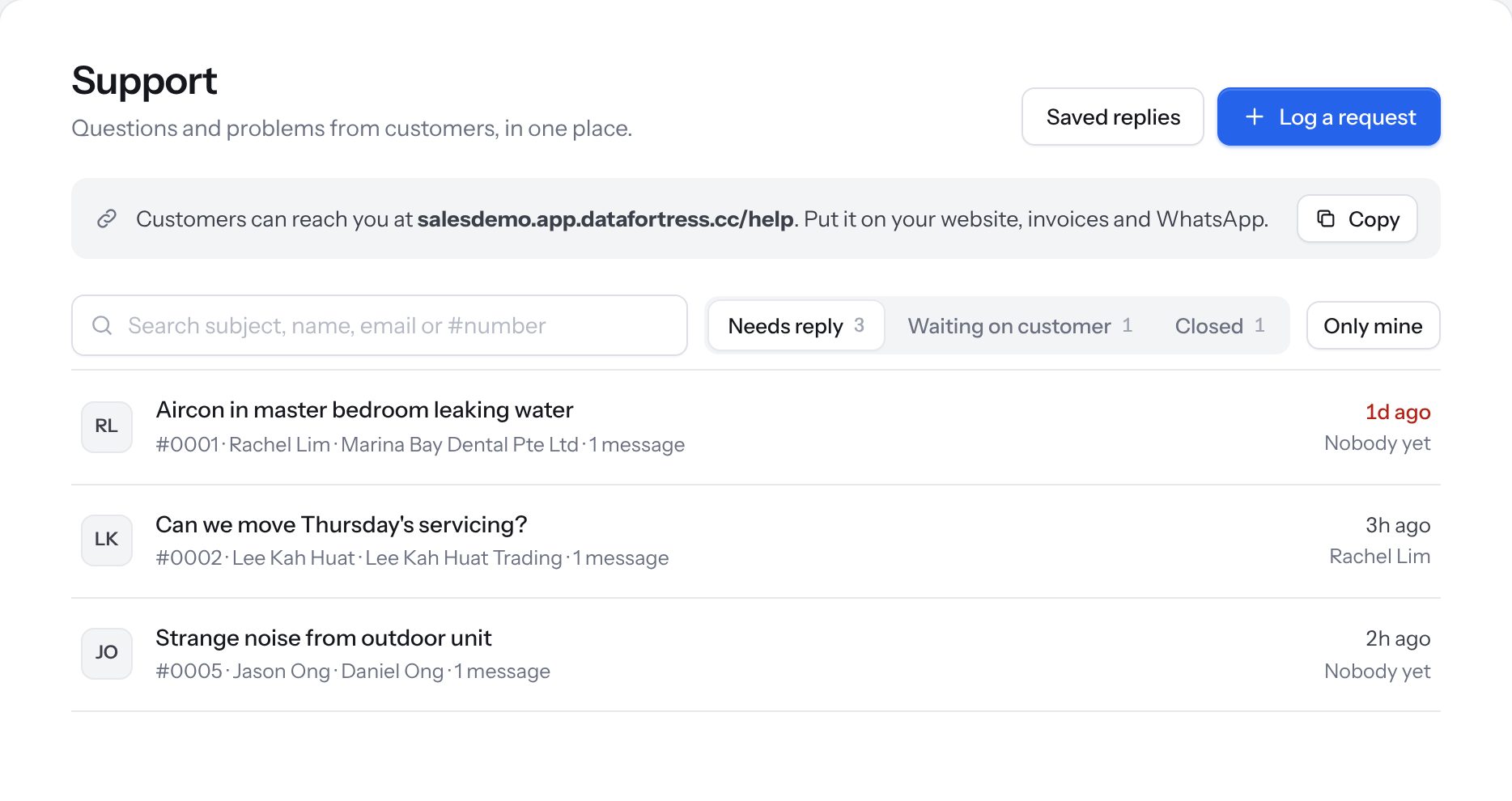
Questions and problems from customers arrive in one place. Assign each one to someone on your team, reply with saved answers and see what's still waiting.
- Your own help page to share with customers
- Saved replies for common questions
- See what needs a reply and who is on it
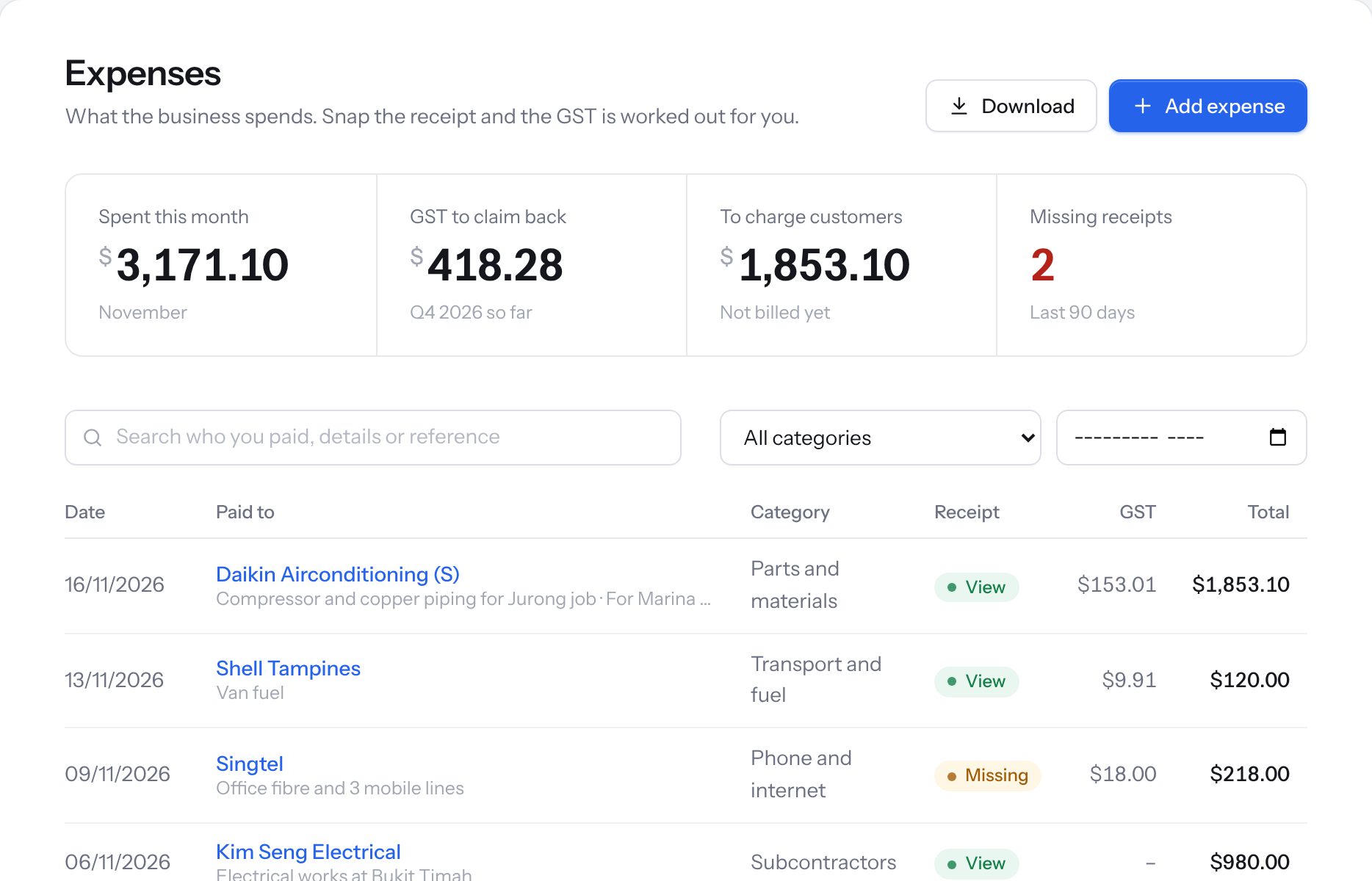
Expense tracking
Log what the business spends and attach a photo of each receipt, so everything is ready for your accountant.
- Spending by category and by month
- Flags expenses with a missing receipt
- Mark costs to charge back to customers
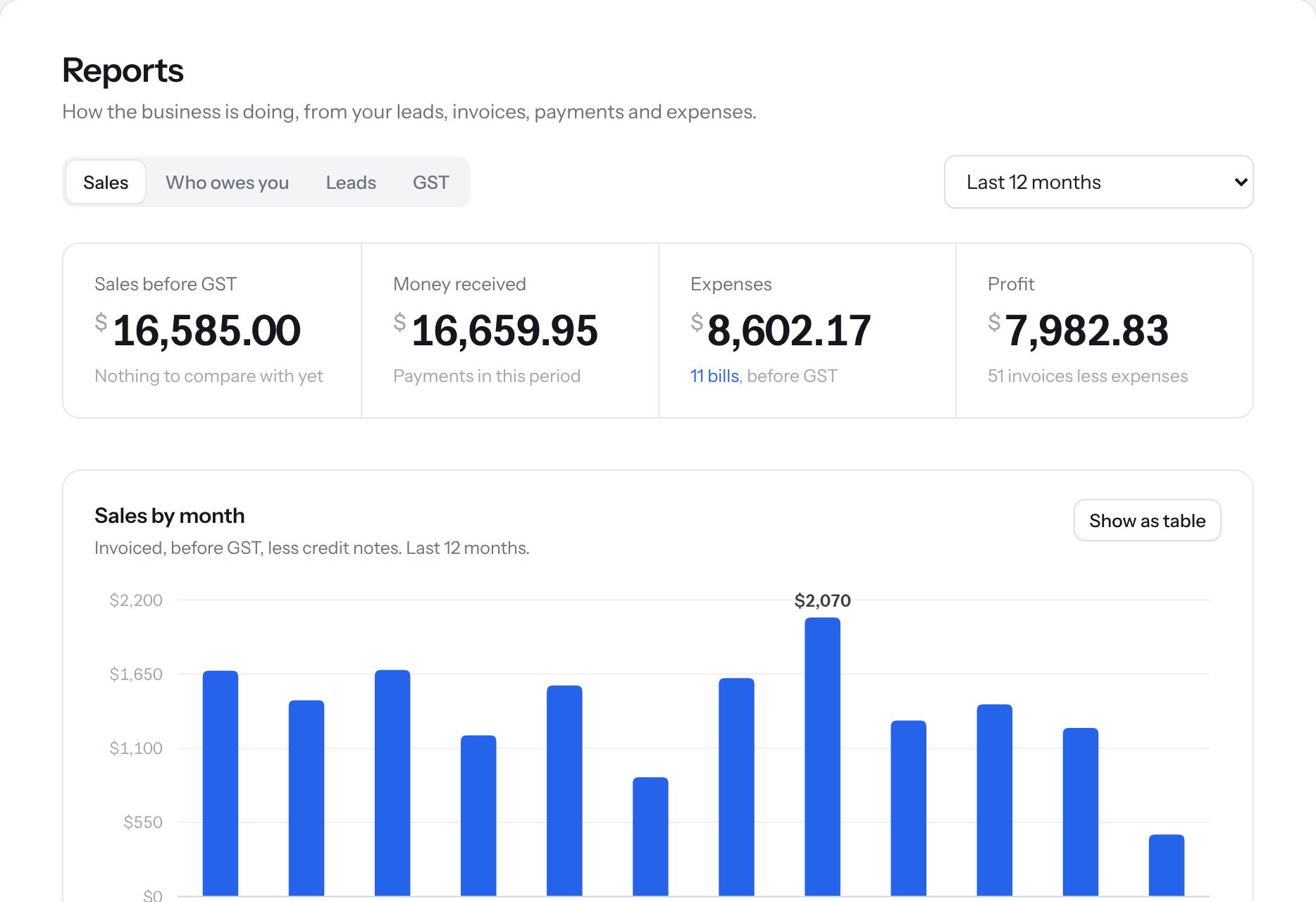
Reports
Sales, money received, expenses and profit, month by month. See who owes you and how your leads are doing.
- Sales and profit over time
- Who owes you, and for how long
- Download for your accountant
Your data stays yours.
Built for Singapore businesses, with the protections you'd expect.
Hosted in Singapore
Your data is kept on servers in Singapore.
Two-factor login
Turn on a second login step for everyone on your team.
Staff roles
Decide what each person on your team can see and do.
PDPA tools
Record consent, and find, report on or delete a person's data when they ask.
Export any time
Download your data whenever you like. You're never locked in.
Set up for you
We set up the system with your logo, price list and customers, and train your team.